
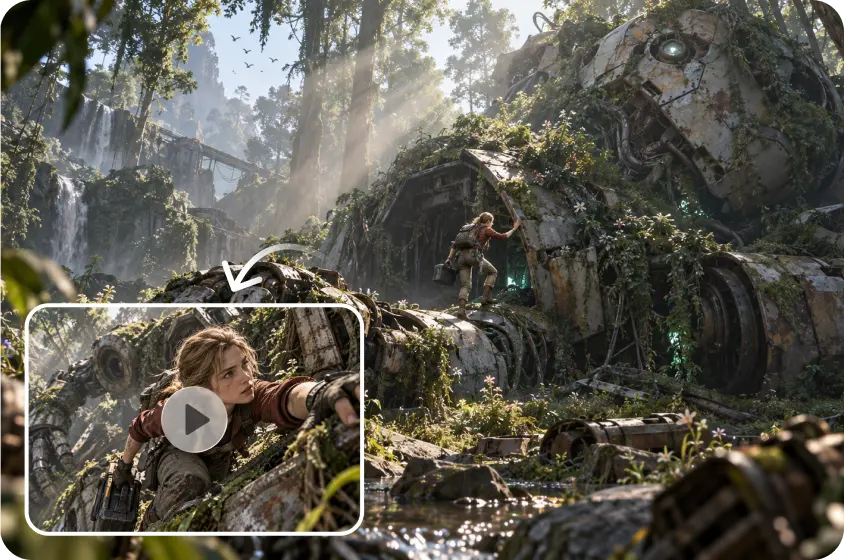
The classic pre-production involves in-person meetings between script, storyboard, location, characters, props, and cameras. A shared explorable environment could bring those parts together via Spatial AI. Rather than treating each asset individually, creators could look at the multiple elements in one space. This may help to make the planning of scenarios more interactive, measurable, and revisable. Story development and visual planning are already supported in Pippit via integrated creative workflows.
What Spatial AI Means for Creative Pre-Production
Spatial AI transforms creative planning from disconnected images to connected places. A traditional AI video generator is able to generate a convincing clip without keeping a persistent scene model. Alternatively, spatial systems could be used to define relationships between different environments, objects, characters, and cameras. Cameras could then be integrated into the same system rather than given as separate instructions. Navigable scenes could be used with storyboard frames to allow creators to look at composition from other angles. This method might allow some of the guesswork to be removed prior to detailed production and in favour of spatial testing.

Why Pre-Production Needs Better Spatial Feedback
Narrative scripts tell the story of an event, and they can be interpreted in terms of the physical setting. Seeworld is not a public product, but rather a predicted new direction taken by ByteDance in the 3D world modeling space. Therefore, its public availability and detailed capabilities should be kept quite distinct from expectations. Spatial feedback is important because storyboards can break down a complicated environment into selected two-dimensional frames. The type of camera used also depends on the height, distance, the lens perspective, the placement of the subject, and the surrounding geometry. Maintaining those relationships between multiple shots might be supported by persistent spatial memory.

How a World Model Could Reshape the Previsualization Pipeline
Scripts, references, sketches, or prompts could be the starting point for a future world-model workflow. Those inputs could be a part of a larger environment, rather than isolated visual assets. Creators would then be able to set up characters, props, and architecture in this space. Such a test might involve pitting opinions against the real geometry of a scene and the location of objects. The selected camera perspectives could be used as references to downstream image or video generation. This pipeline might involve concept development, environment planning, blocking, and camera direction.
How Spatial AI Could Transform Creative Pre-Production
Step 1: Shape the Pre-Production Spatial Concept
-
Sign up using Google, TikTok, or Facebook account information to access the available creative workspace.
-
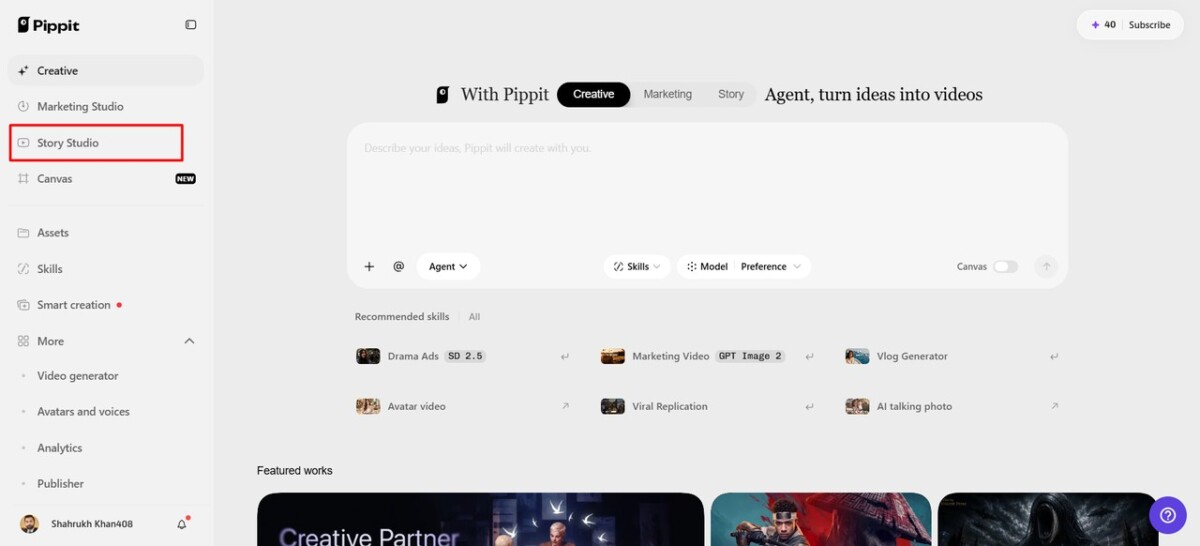
Navigate through the left vertical menu bar and select the “Story Studio” tab first.
-
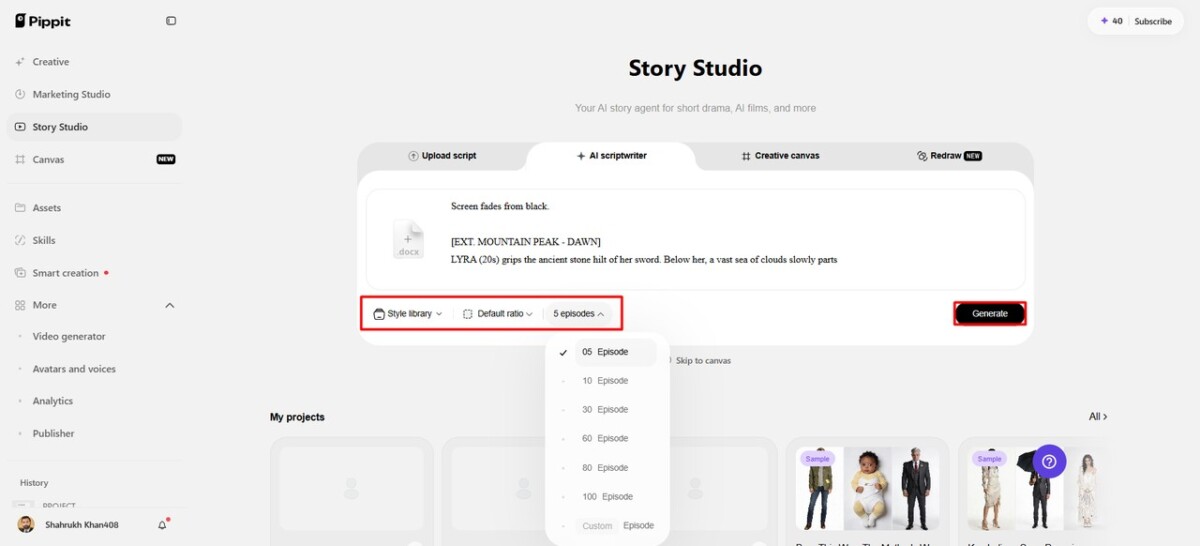
Upload your script through the “Upload script” tab or paste text using “Paste script” directly.
-
Use the “AI scriptwriter” from the top menu to develop scripts around your pre-production concept.
-
Choose a visual direction through “Style library”, helping establish consistent styling for your spatial planning.
-
Open the “Default ratio” option to choose your preferred aspect ratio before developing each sequence.
-
Use the “Episodes” tab when dividing your concept into connected sequences for broader production planning.
-
Finally, select “Generate” to let AI develop your initial script and organize the planned scenes.
Step 2: Prepare Assets for Spatial Exploration
-
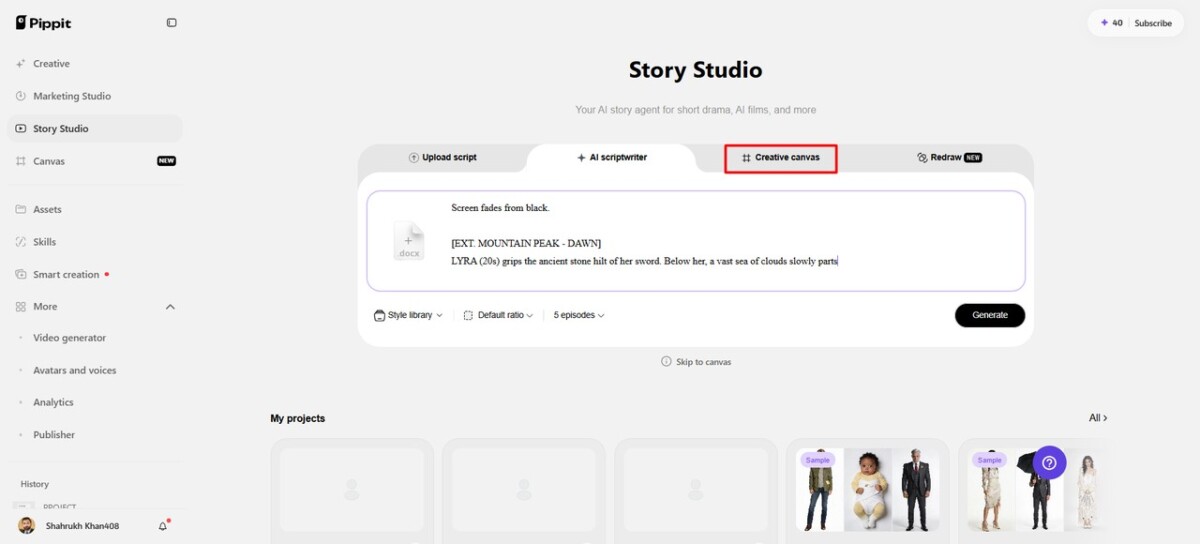
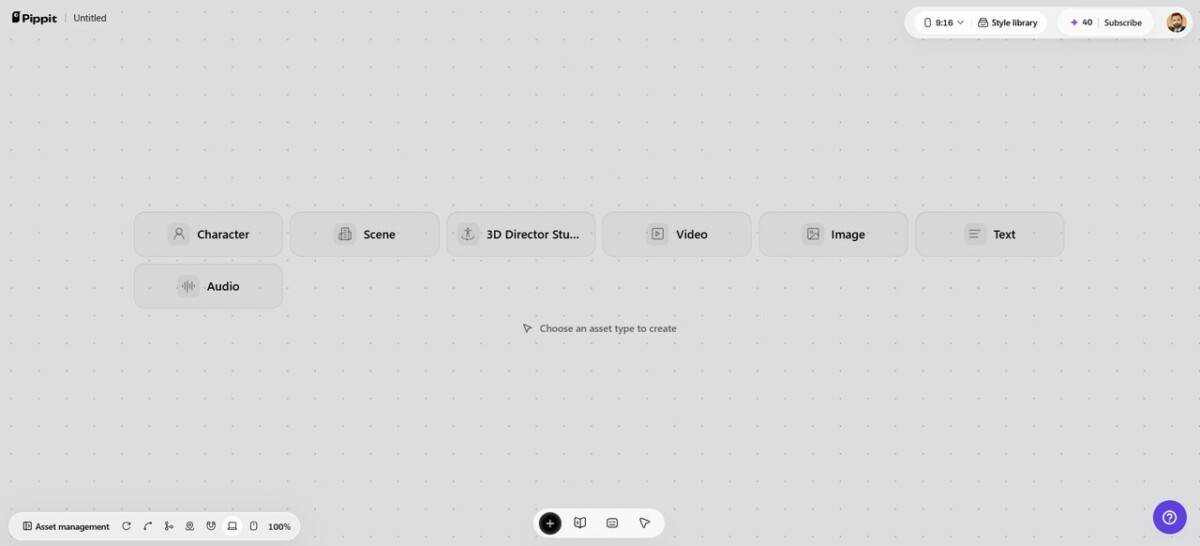
Add images, scene video, audio, and characters with roles through “Creative Canvas” for complete control.
-
Write prompts describing character look, setting, lighting, camera angle, style, voice tone, and environmental context.
-
Include story mood and product context alongside those spatial details to guide each generated scene.
-
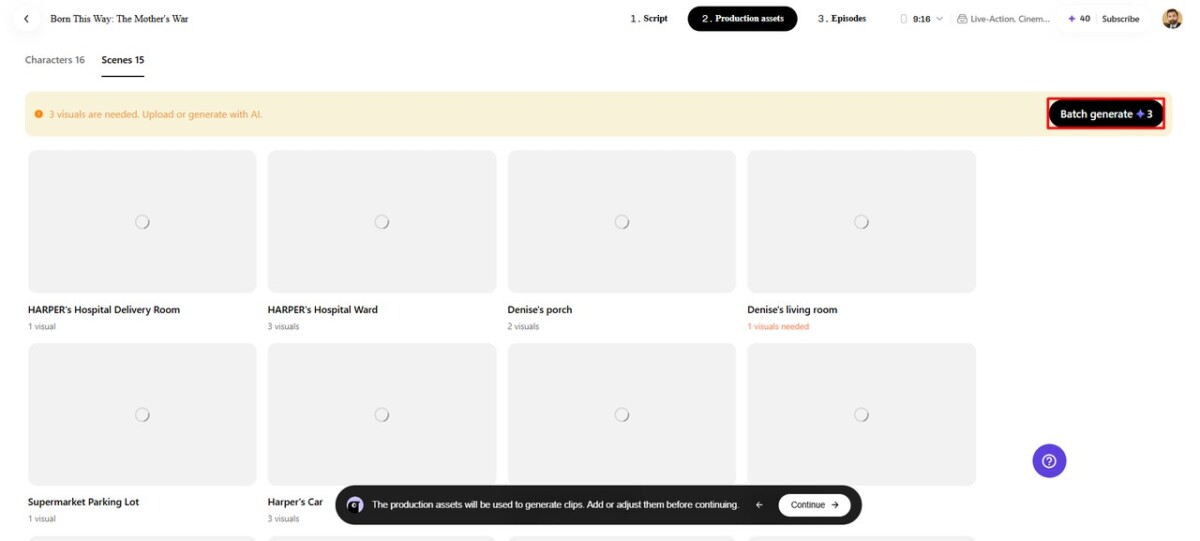
After assigning roles, generating characters, and scenes, select “Batch generate” to generate episodes together efficiently.
Step 3: Refine Ideas Before Production
-
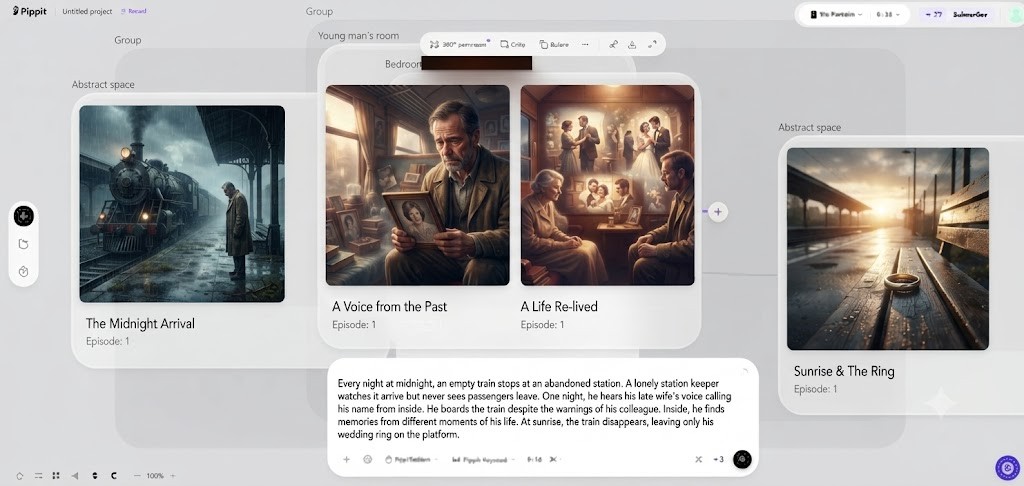
Review and edit characters, roles, scenes, and audio carefully to refine each episode before finalizing.
-
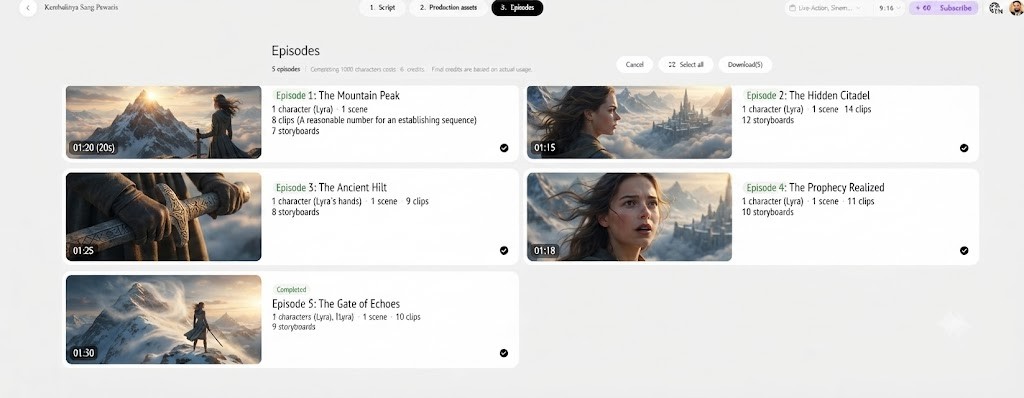
When satisfied, click “Select all”, then choose “Download” to bulk download episodes directly onto your device.
Six Pre-Production Areas Spatial AI Could Influence
-
Environment design may enable creators to experience the location prior to creating complete visual material.
-
Scene blocking may involve placing characters and props around intended actions and spatial relationships.
-
Camera planning may involve trying out different viewpoints in relation to the actual composition, depth, scale, and subject placement.
-
Continuity control may maintain locations and relationships of objects from shot to shot.
-
Later image and video generation might benefit from better visual references.
-
Spatial changes may be pushed earlier in the process with creative iteration where revisions are more easily made.
Pippit as a Practical Bridge From Story to Spatial Direction
Pippit’s Story Studio can create a narrative structure, characters, scenes, and visual direction from written ideas. Creative Canvas can then structure those components into a more manageable production workspace. Pippit also offers 3D Director Studio to create scenes with environments, characters, props, lighting, and camera controls. A panoramic environment can be the beginning of a practical workflow and be transferred to the 3D workspace. Characters and props can then be placed to reflect the desired perspective of the scene. Views of the camera may be altered until the relationship is expressed in the composition. A captured scene view can be brought back to Canvas to be used as a reference later for generation. This forms a link between the story plan, the spatial direction, and the final visual production.
What Spatial AI Could Change Beyond Traditional Storyboarding
Creative direction could become more iterative if spatial planning were to be used, as it would allow creators to try out multiple perspectives in a short time. It may be able to identify scale, blockage, camera, and continuity issues before any downstream work is started, which is costly. A common spatial reference could also be shared by writers, directors, designers, and editors. A connected scene could allow for multiple compositions rather than one predetermined storyboard frame. Such reusability might allow the teams to investigate other shots without having to start developing every idea again. The greatest value would be achieved if spatial decisions could be made earlier.
The Limits and Open Questions Around Spatial AI
For Spatial AI to be truly practical, it needs to depict geometry, depth, scale, and relationships accurately. Even with generated environments, human direction in composition, storytelling, and visual judgment is still necessary. Once scenes get larger, it is also more difficult to keep everything consistent, such as characters, objects, lighting, and spatial relationships. Another key difference is with regard to public availability. The world-model concept is described as “upcoming” in current information and shouldn’t be taken as a fact. In the meantime, ByteDance has officially launched Seed3D 2.0 aimed at high-fidelity 3D content generation. Beyond just object generation, Seed3D 2.0 also allows for scene layout planning and scene composition. These capabilities offer some context; however, these are not the same systems.
Conclusion
Spatial AI might be able to link environments, characters, objects, layouts, and cameras in one planning process. It could be used for more than creating stunning 3-D images. The big opportunity is to think about scenes in terms of relationships, viewpoints, depth, and composition. An earlier iteration could assist creators in discovering issues prior to costly final production. Greater spatial references may also enhance communication between creative phases. Pippit provides a practical, current workflow for story, scene, and camera planning. When spatial AI reaches a level of reliability that enables coherent worlds, pre-production might turn into active exploration. This change could lead to more visual, interactive, and responsive creative planning.